I have a good friend and customer who contacted me (human-to-human) for help. He was approached by a company that said they could give his website a more modern look. He hired them, and then contacted me for some advice and input.
What followed was more of a surgery than just a consult.
His website had not been updated since 2015, so a decade is a good run for a website. It served him well, but a refresh was in order. It had way too many plugins (41 active and 60 total) that were slowing it down (and maybe half were needed).
The company he hired had some pluses and minuses. They did a great job of making the website more visually current and appealing, as well as more concise and easier to view and navigate. On the downside, they missed some of the most important reasons the website was successful in the past (e.g., getting almost 5000 visits a month).
To be fair, they may have had good intentions to finish the project, but my friend was getting frustrated with the process and just wanted to make it live.
What follows is the process and a case study of how we completed the website and made it live two weeks after that initial call.
Blending the Old with the New
 The first job was to back up both the new and the old websites. Throughout the process, they both needed to be alive. We used a purchased but unused URL to set up a staging server for the new website, so the old website could remain visible and operational throughout the process.
Next, we did an inventory of what was missing on the new site, including must-haves and nice-to-haves.
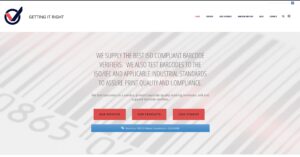
Must Haves – Business Changing
- Blogs were missing (He had 400+)
- Downloadable CTAs were half done
- Website forms were part dynamic (database) and part static, just email outputs
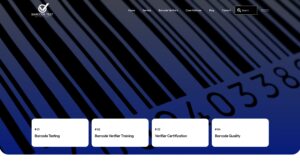
Nice to Haves – Website Optimization
- There was no search feature
- It was missing some needed plugins (Only 5)
- Consolidate Contact & Download forms
Once that was all in place and defined, it was time to get to work.
Filling in the Gaps
 Just getting both websites working as is was a challenge. The sites were both deleted and reinstalled onto the current web server. There were some plug-ins causing issues, which took some time to pinpoint and disable. I had to escalate that to my expert to help me figure it out (which she did).
Since the old one was built with WP Bakery and the new one was built with Elementor (both visual composer plug-ins), you could not simply copy and paste pages — they had to be rebuilt.
Next, I tried copying the blogs (all built in standard WordPress — a good idea to start), but something broke in the download/upload process, and the images weren't showing consistently or properly, so I shelved that for later.
 Some pages with the Lead Magnets (downloadables) were missing, so I had to reconstruct both the forms and the pages. I had to add the ‘Thank You' pages (the action after the form submission) and test them. Also, I had to create the forms to match those on the client's last site, with a few requested modifications.
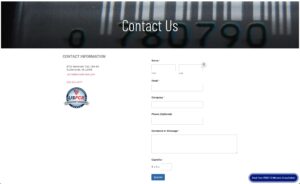
It was time to move on to the Contact Us forms. The Contact Us page had a dynamic form (WP Forms) but no contact information, such as a phone number, email address, or address. It was also missing an achieved credential badge.
Every other page had a Contact Us form at the bottom. They were not templated, so each page had to be updated individually. Templating would have allowed one change and site-wide updates.
Lastly, I had to recreate some pages, including their Privacy Policy (required for multiple services and vendors).
The Blogs
 The Blogs proved to be a bit more of a challenge.
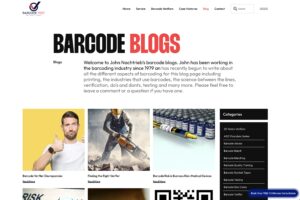
I started out by wiping the slate clean on the staging site. There is no easy way to delete all the blogs. In the backend, they show 20 per page, so with 470+ blogs, I had to go page by page, deleting 20 at a time. Then I re-exported all 472 blog posts and re-imported them to the site. That kept failing. The problem was trying to export them with 1300+ images.
One problem was that the process I used changed the upload date from its original upload date to a new date uploaded (today). This caused a complete disassociation of the images with all the blogs — BUMMER!
I found that the only solution was to go to the server level. I had to clean out certain folders on the staging server site and then copy all the upload folders from the original site and paste them into the new staging site.
Even with that, many of the blog's featured images became disassociated from the blog posts. That meant manually going into each blog and re-assigning the image from the library. Tedious, but necessary.
The Final Step

Once again, we had to back up both websites and remove the installations. We added clean WordPress installs, then used a Migration Plugin to import the new site to the live URL and folders, and the old site to its new home as a staging site. Both were tested and given the client's seal of approval to take them live.
Both need to be live at the same time, since there may still be information from the old site that needs to be added or imported to the new website. The nice thing about having two monitors is that you can have both open on different browsers or windows and compare notes.
I am happy to report that the mission (albeit a task that turned into a tornado) was achieved, and the new site is awesome.
Closing Thought
 Although the client chose the web company for their design skills, they lacked the experience with what a complete web system means to a B2b business. The forms are more than just forms. The blogs are more than just content. The Contact Info is the whole reason for the website.
“A Pretty Website Falls Flat Without Purpose”
There is some magic in a new look and feel. New technologies infused with AI are making it easier to create professional-looking content, but ultimately, a pretty website falls flat without a purpose.
The main purpose in a B2b world is to have your website create better human connections that culminate in a human talking to another human. Other than ecommerce, business-to-business sales is a human-to-human process. And is that not WHY we put the website into action in the first place?
______________________________
Comment below and share your thoughts, ideas, or questions about business-to-business sales and marketing today! Do you have a sales or marketing communications strategy that works for you? What tips or techniques can you share that work for you and your business?
To learn more about this and other topics on B2b Sales & Marketing, visit our podcast website at The Bacon Podcast.